Party games
tvpipe game play runs games like the ones from Jackbox: the TV shows the game and a QR code, and everyone joins by scanning it with their phone. Nobody installs anything: a game is a small web app, and tvpipe serves it, puts its main screen on the TV and connects the phones.
$ tvpipe game play                     # pick one from the list in the window
$ tvpipe game play drawbluff           # a game from the list, downloaded
$ tvpipe game play my-game             # a folder with tvpipe.json
$ tvpipe game play my-game.zip         # or a zip of one
Without a game, the window opens on the list of games, with pictures of each. Click one: tvpipe downloads it, asks in the window before it runs a game the first time, and moves on to picking the TVs. A field below the list takes a game from elsewhere (https://… or gh:OWNER/REPO).
13.1Games from the internet
Games are not part of tvpipe: each one comes out on its own. A name from the list of games downloads the newest release of that game made for your tvpipe:
$ tvpipe game play drawbluff
Drawbluff ("drawbluff") from gh:mitsuhiko/tvpipe/drawbluff@drawbluff-v* ("drawbluff" in the games list), release drawbluff-v0.3.0
  128.2 KiB, 24 files (254.5 KiB unpacked), made for tvpipe 0.3
  sha256 67a1867955902de214916aa67a287580fda732d46008d98b7e36d763094b0dd3
  It runs in tvpipe's window, can cast to the TVs on this network and serves pages to phones.
  Play it? [y/N]
A game runs in tvpipe's window and can do what tvpipe can: cast to your TVs and serve pages to phones. So tvpipe asks before it runs a game from the internet the first time, and again when a new release of it comes out. A game from the list is asked about like any other. --yes (-y) answers yes; without a terminal tvpipe needs --yes or a pin.
Other sources work the same way:
| Source | |
|---|---|
NAME | a game from the list |
https://…/game.zip | a zip on a website |
gh:OWNER/REPO | the zip of a GitHub repository's latest release; gh:OWNER/REPO@TAG a given release. Links to the repository or release on github.com work too |
…#sha256=HEX | only this zip (a pin): tvpipe checks it and does not ask |
| Option | |
|---|---|
--yes, -y | Play it without asking |
--refresh | Look for a new release even of a game played before |
--offline | Only games downloaded before: no network |
tvpipe game fetch SOURCE downloads a game without running it, checks it and prints the source pinned to its SHA-256 (-o FILE also writes the zip). The next game play of that pin needs no network. When the network fails, tvpipe plays the copy it has and says so.
13.2Playing
- tvpipe opens a window. It lists the TVs on your network as they answer: Apple TVs and AirPlay TVs, Chromecasts and Google TVs. An Apple TV you have not paired with shows a Pair button: the TV shows a code, you type it in the window. "A browser tab on this computer" lets you try a game without a TV.
- Pick one or more TVs and press Start. The window becomes the game's own page, and the TV shows the game with its QR code.
- Everyone scans the QR code and plays on their phone. Phones that lose the connection (a locked screen, a tunnel hiccup) come back on their own.
- Close the window (or press Ctrl-C in the terminal) to end it: the TVs leave the game, the phones say the room closed.
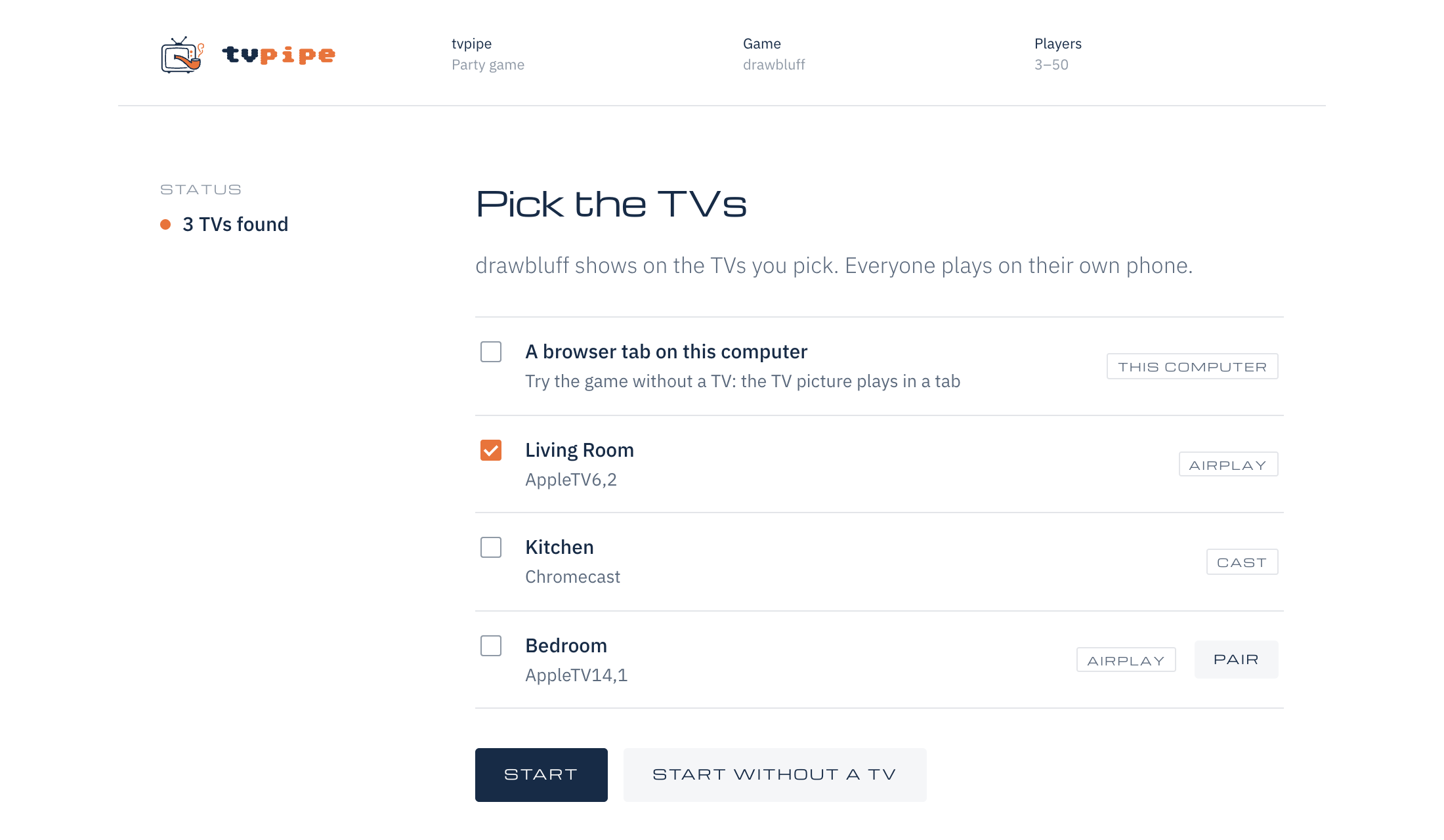
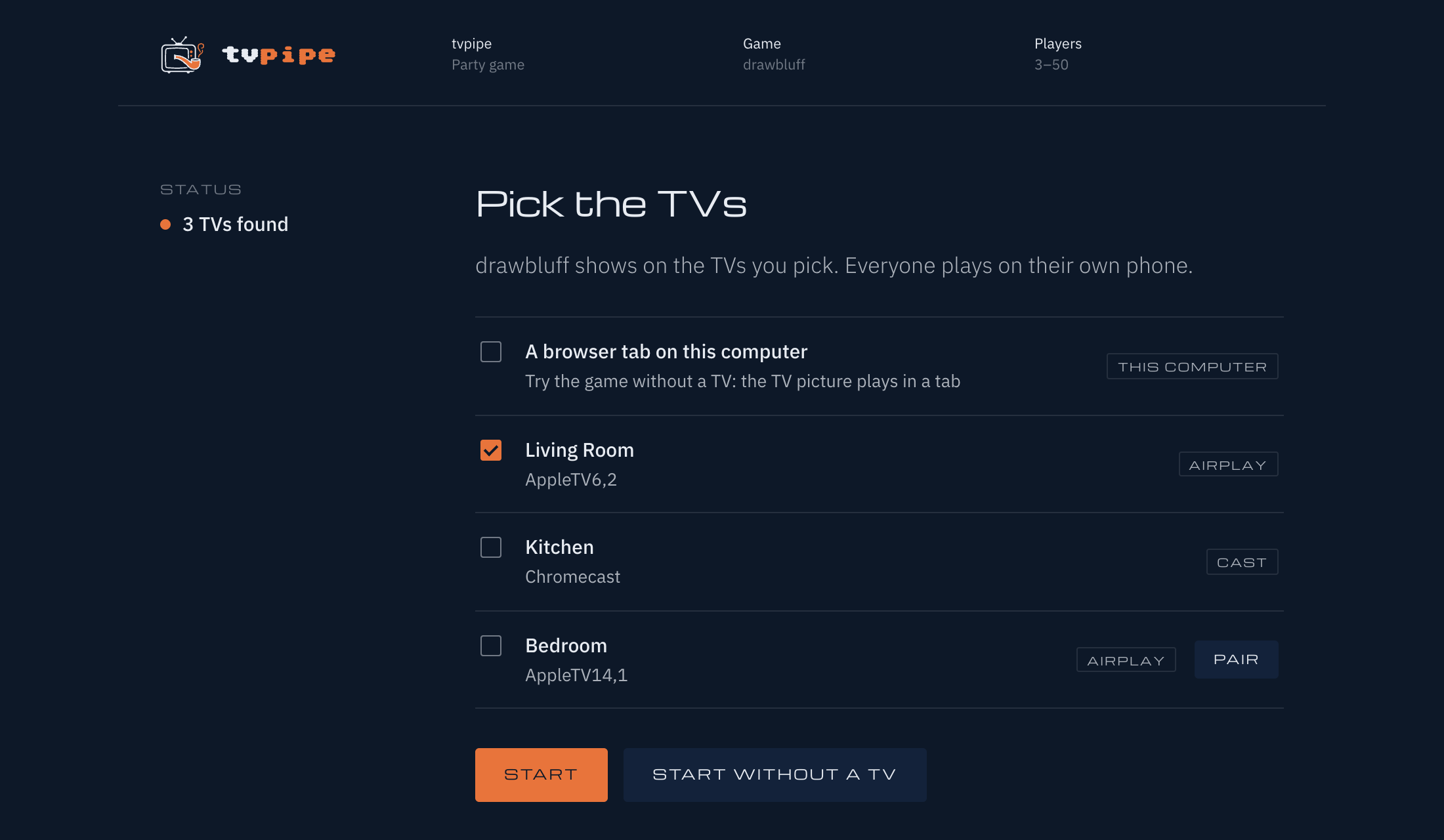
tvpipe game play, with Drawbluff.| Option | |
|---|---|
--tunnel=opentunnel, --tunnel=cloudflare | Who carries the phones' link (default: OpenTunnel, then Cloudflare) |
--no-tunnel | No public link: phones on the Wi-Fi (--lan) or this computer only |
--lan, --lan=IP | Also serve phones on the Wi-Fi, at http://IP:7420 |
--window=open | The game's window in your usual browser instead of tvpipe's own. Links the game's window opens in a new tab, like the TV view, open in your usual browser either way |
--window=none | No window: tvpipe prints its link |
--browser PATH | The browser for the window and for rendering the TV |
--resolution RES | The TV picture at the start: auto (up to 1080p, the default), 720p, 1080p or 4k; the window can change it. The game looks the same, only sharper |
--dev | Test mode: the game may offer test tools in its window. Drawbluff, Garble, Jinx and Krakel get "Add a bot" buttons there: dummy players that join and play by themselves, to try a game alone |
The QR code holds the link with the room's code and a key, so only people who can see the TV can join. On the Wi-Fi (--lan) the page is plain HTTP and the key crosses the network unencrypted: use the public link on networks with strangers. With Cloudflare, Cloudflare can read the game's traffic. With OpenTunnel, nobody else can.
13.3How it works
- The game's host page runs in the window: it holds the rules, the players and what everyone sees.
- Its TV page runs in a browser tvpipe starts in the background. tvpipe streams that tab, picture and sound, to the TVs, as with A web page on the TV.
- Instead of a TV page, a game can also draw into a canvas and send that to the TVs, one picture per TV. See Canvases on the TV.
- Its phone page loads over the public link. Every phone's connection ends in tvpipe, which hands it to the host page.
13.4Making a game
A game is a small web app: a host page with the rules, a TV page, a phone page and a tvpipe.json that names them. Making party games covers writing one, checking it and packing it into a zip.
13.5Safety
- tvpipe only answers for the game's public link and for this computer, and limits how much and how fast every phone may send.
- The game's own controls (tvpipe's window and its API) are not on the public link at all.
- Names are cleaned up and must be unique. A
moderatefunction can refuse words you do not want on the TV. - The VIP and the game can remove players. The game's window also lists the players with buttons to remove one or make another the VIP, during a game too.
13.6The demo game
Drawbluff is a drawing and bluffing game for 3 to 50 players:
$ tvpipe game play drawbluffIts source is games/drawbluff in the repository. To change it, build it and play the folder:
$ cd games/drawbluff && npm install && npm run build
$ tvpipe game play .
Its window shows the room code and the QR code, the TVs, the players, the number of rounds, the timers and whether latecomers join at the next round, at the next drawing, or not at all, and a preview of the TV.
Drawbluff speaks English and German. Pick the language on the host page, which starts with your browser's, and every phone and the TV follow. A phone can switch for itself in the lobby.
Each language has its own prompts, written for it rather than translated: 665 in English, 698 in German. They range from odd pairs, idioms taken literally and useless superpowers to history gone wrong, and in German also compounds taken literally („ein glückspilz“). A room never deals the same prompt twice until it has used them all.
The design is in docs/playshare-design.md, the protocol between phones and the game in docs/party-protocol.md.